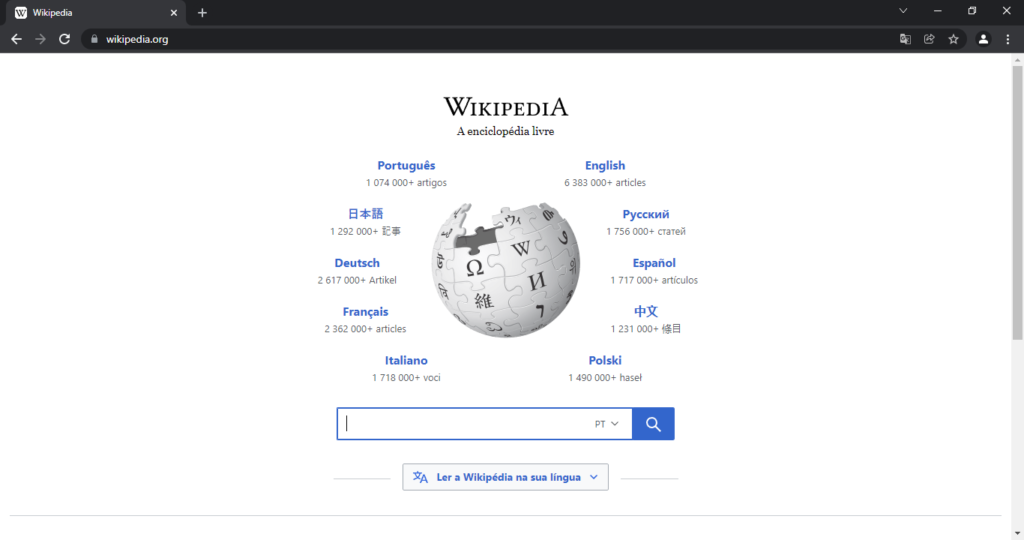
A web browser is software that lets a person access, navigate, and interact with content on the web, retrieving pages written in HTML and related technologies from remote servers and rendering them into the visual, interactive pages people see and use every day. Chrome, Safari, Firefox, and Edge are among the most widely used web browsers, and despite differences in their interface design and specific features, all of them are built to interpret the same underlying open web standards, allowing a single website to work reasonably consistently no matter which particular browser a visitor happens to use.
What Happens When a Page Loads
When a person enters a web address or clicks a link, the browser first needs to find the correct server to contact, which it does by resolving the readable domain name into the server’s actual numeric IP address through the Domain Name System. The browser then sends a request to that server using the standard web protocol, and the server responds with the requested HTML document along with associated files such as images, stylesheets, and scripts needed to fully display the page.
A core component called the rendering engine then parses that HTML, builds an internal structural representation of the page, applies any CSS styling rules to determine colors, layout, and spacing, and finally paints the fully assembled result onto the screen for the person to see and interact with. A separate component called the JavaScript engine simultaneously executes any scripts included on the page, enabling interactive behavior such as responding to clicks, validating form input, and updating parts of a page dynamically without needing to reload the entire page from scratch every single time something on it changes.
Beyond Basic Page Viewing
Modern web browsers include a wide range of capabilities well beyond simply displaying static pages. Built-in security features warn users about suspicious or known-malicious websites, enforce encrypted connections to protect data sent to and from a site, and increasingly limit certain kinds of cross-site tracking by default. Developer tools built directly into most browsers let programmers inspect a page’s underlying code, debug scripts, and analyze network activity, making browsers an essential part of the everyday software development workflow rather than purely a tool for ordinary browsing.
Browser extensions let users add extra functionality beyond what a browser offers out of the box, such as blocking advertisements, managing passwords, or translating page content automatically, by installing small additional pieces of software that integrate directly with the browser itself. Competition among browser makers over the decades has driven continuous improvements in rendering speed, security, and support for new web standards and capabilities, with most mainstream browsers today sharing underlying rendering engines across several different competing browser brands even while maintaining their own distinct user interfaces and additional features layered on top.
From a Research Tool to the Browser Wars and Beyond
The first web browser, created by Tim Berners-Lee alongside HTML and the web itself in 1990 and 1991, was a simple tool built mainly for his own research colleagues at CERN, and it looked nothing like the richly interactive browsers used today. A graphical browser called Mosaic, released in 1993, made the web accessible to a far wider, non-technical audience by displaying images directly alongside text for the first time, and its commercial successor helped spark explosive public interest in the web throughout the mid-1990s.
The following years saw an intense period of competition, often called the browser wars, as rival companies raced to add new features and capture market share, sometimes introducing incompatible, non-standard extensions that made building websites that worked reliably across every browser considerably more difficult for developers. Renewed cooperation around shared open standards, along with the rise of open-source browser engines adopted by multiple competing browser makers, gradually improved cross-browser compatibility over the following decades, even as competition over speed, security, and new features has continued essentially without pause up to the present day, driven further by the explosive growth of mobile browsing on smartphones and tablets.
Frequently Asked Questions
What is the difference between a web browser and a search engine? A web browser is the software used to access and view any website, including a search engine’s own page, while a search engine is itself simply one website, accessed through a browser, that helps people find other relevant web pages matching a specific search query.
Why do different browsers sometimes display the same website slightly differently? Although all major browsers follow the same open web standards, each browser’s rendering engine can interpret certain edge cases or newer, less universally supported features slightly differently, and browsers may also apply their own default styling choices, which together can occasionally produce small visual or behavioral differences on the same underlying page.
What does a browser’s rendering engine actually do? The rendering engine parses a page’s HTML and CSS, builds an internal structural representation of the content and its styling, and paints the final visual result onto the screen, working closely alongside a separate JavaScript engine that handles any interactive scripted behavior included on the page.
Why do mobile browsers sometimes behave differently from desktop browsers? Mobile browsers are built to work within a smaller screen, touch-based input, and often more limited battery and processing power than a typical desktop computer, which can lead them to prioritize certain features, simplify some page layouts automatically, or handle resource-intensive scripts somewhat differently than their desktop counterparts do on the same underlying page.
Key facts
- Browsers resolve domain names, request pages, and render HTML and CSS into visual pages.
- A rendering engine builds and paints the page; a JavaScript engine handles interactivity.
- Modern browsers include security features, developer tools, and extensions.
- Major browsers follow shared open web standards for broad compatibility.
- Several competing browser brands share underlying rendering engines today.
Quick checkWhat two core components work together when a web browser displays a page?Show answer
The rendering engine parses HTML and CSS to build and paint the visual page, while the JavaScript engine executes any scripts on the page, enabling interactive behavior like responding to clicks or updating content without a full page reload.
Sources
- MDN Web Docs browser architecture overview; W3C and WHATWG web standards documentation
Editorially reviewed by Specialty Digest Editorial TeamLast reviewed November 2, 2026Researched and drafted with AI assistanceReport an issue