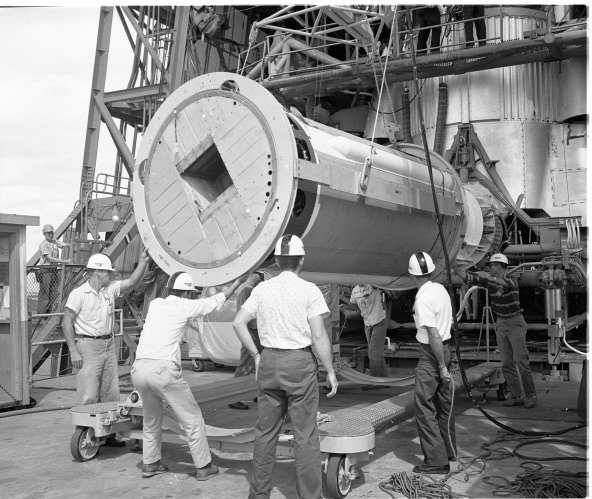
Digital asset management is the practice of organizing, storing, and distributing digital files, such as photographs, video, audio, and documents, through a centralized system that applies consistent metadata, categorization, and access controls to make those files easy to find and reuse.
Many organizations, including libraries, museums, publishers, and media companies, accumulate large volumes of digital files over time. Without a managed system, these files tend to scatter across personal computers, shared drives, and email attachments, making it difficult to locate a specific image or confirm which version is the most current. A digital asset management system addresses this by providing a single searchable repository with standardized descriptions.
Core Functions
A digital asset management system typically supports upload and ingestion of new files, automatic or manual tagging with descriptive keywords, version tracking so users can see the history of changes to a file, and search tools that let users filter by format, date, subject, or rights status. Many systems also generate preview thumbnails or low-resolution proxies so users can browse visually without downloading large original files.
Rights and Licensing Management
Because many digital assets carry usage restrictions, such as a photograph licensed for a single publication or a video clip requiring attribution, digital asset management systems often track rights information alongside each file, including expiration dates for time-limited licenses. This helps organizations avoid inadvertently reusing material beyond its licensed scope.
Relationship to Digital Libraries and Archives
Digital asset management overlaps with digital library and archival systems, since all three involve organizing and preserving digital files with metadata, but digital asset management places particular emphasis on day-to-day retrieval and reuse by an organization staff, such as marketing or editorial teams, rather than long-term preservation or public scholarly access as a primary goal.
Integration with Other Systems
Digital asset management systems increasingly connect with other organizational software through integrations, allowing marketing platforms, content management systems, or e-commerce sites to pull approved, correctly licensed assets directly from the central repository rather than requiring staff to manually locate and upload files each time they are needed elsewhere, which also helps enforce consistent use of approved brand assets.
Economic Considerations
Licensing or building a digital asset management system represents a significant investment, including software costs, staff time for initial migration and tagging of existing files, and ongoing administration. Organizations typically justify this cost through time savings from faster asset retrieval, reduced risk of licensing violations, and avoided costs from recreating lost or hard-to-find assets.
International Perspectives
Multinational organizations managing digital assets across multiple countries and languages face particular challenges, including the need for multilingual metadata and tagging, region-specific licensing restrictions on certain images or footage, and coordinating access permissions across teams operating under different legal and regulatory environments.
Related Specialties
Digital asset management overlaps with brand management, rights and licensing administration, and information architecture, since effective tagging and categorization schemes require the same careful taxonomy design that underpins good library cataloging, even though the end users are typically internal staff rather than external researchers or the public.
Practical Guidance
Organizations implementing a digital asset management system are generally advised to establish a controlled vocabulary and tagging policy before migrating existing files, since inconsistent or ad hoc tagging applied during migration can undermine search effectiveness for years afterward, making upfront taxonomy planning one of the most consequential early decisions in a system rollout.
Looking Ahead
Automated tagging using image recognition and machine learning is increasingly supplementing manual metadata entry in digital asset management systems, reducing the labor required to describe large volumes of incoming visual content, though human review generally remains necessary to catch errors and apply nuanced contextual tags that automated systems cannot reliably infer.
Access Permissions and Workflow
Digital asset management systems typically support tiered access permissions, allowing different user groups to view, download, edit, or approve assets depending on their role. A marketing team member might be permitted to browse and download approved final assets, while only designated administrators can upload new master files or alter the metadata governing how an asset may be used, which helps maintain consistency and prevents unauthorized changes to organization-wide visual assets.
Approval workflows built into many systems route newly uploaded assets through a review process before they become generally available, ensuring quality control and licensing compliance checks happen before an asset enters active circulation across the organization.
Retention and Archiving Policies
Organizations must also decide how long to retain superseded or outdated assets within the system, balancing the storage cost of keeping historical versions against the occasional need to reference or restore an older asset, which leads many digital asset management systems to support configurable archiving policies that move aging content to lower-cost storage tiers rather than deleting it outright.
Search and Discovery Features
Advanced search features, including filtering by multiple metadata fields simultaneously and visual similarity search that finds images resembling a selected example, help large organizations locate relevant assets quickly even within collections containing hundreds of thousands of files accumulated over many years of organizational activity.
Without such discovery tools, the sheer volume of accumulated digital assets can become self-defeating, since content that cannot be found quickly provides little practical benefit over the scattered, unmanaged storage it was meant to replace.
Investing in strong discovery tools therefore pays for itself over time by preserving the practical usability of a growing digital asset collection.
Organizations that underinvest in search and discovery often find usage of the system declining over time as staff revert to informal, undocumented file-sharing habits instead.
Key facts
- Array
Quick checkWhy do organizations use dedicated digital asset management systems instead of ordinary file storage?Show answer
A digital asset management system adds searchable metadata, version control, and rights and access management on top of storage, making it far easier to locate, reuse, and properly license digital files than ordinary folder-based file storage.
Sources
- Array
Editorially reviewed by Specialty Digest Editorial TeamLast reviewed November 3, 2026Researched and drafted with AI assistanceReport an issue