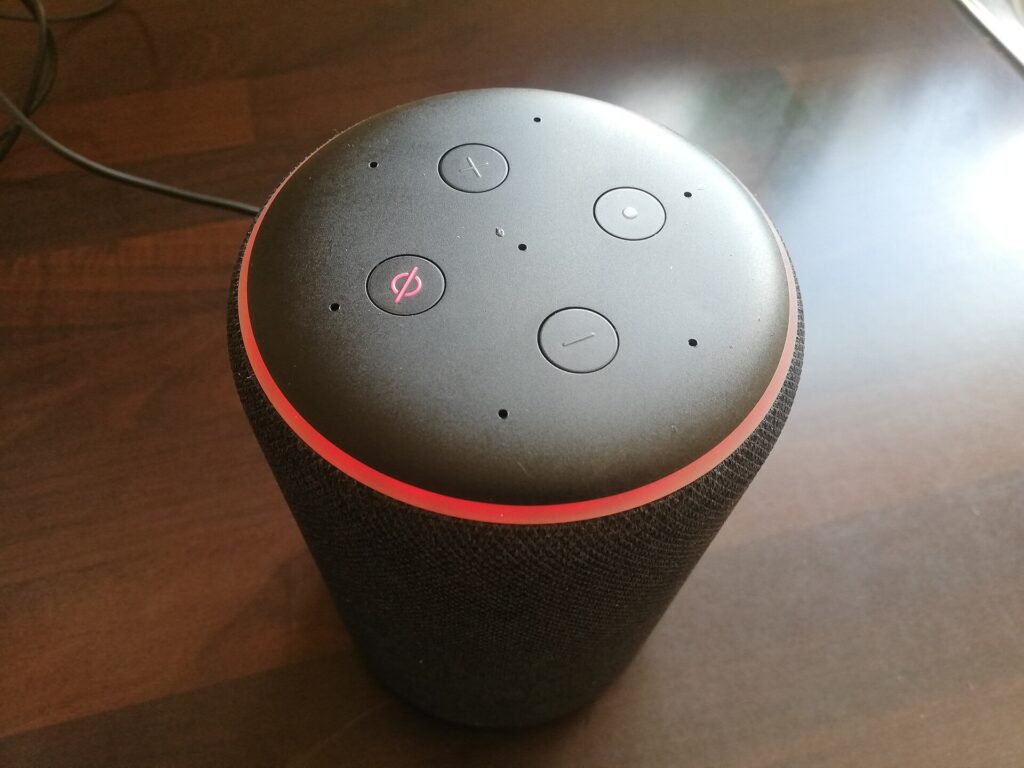
An AI assistant is a software system that uses artificial intelligence to understand requests in natural language, by text or voice, and help a person with tasks such as answering questions, drafting content, retrieving information and carrying out actions. People meet assistants in phones, smart speakers, cars, websites, workplace software and dedicated chat applications. Earlier assistants relied on fixed commands and scripted dialogue, while current ones are built on large language models and handle open-ended requests, which has made them one of the most visible uses of artificial intelligence.
History
The lineage runs from the ELIZA program of the 1960s, which imitated a conversation with pattern matching, through speech-driven systems in the 1990s and 2000s. Apple’s Siri in 2011, Google Now, Microsoft’s Cortana, Amazon’s Alexa in 2014 and Google Assistant in 2016 brought voice assistants to consumers. They handled set commands such as timers, music, weather and smart-home controls. In 2022, ChatGPT demonstrated that a language model could hold wide-ranging conversations, write, explain and code, and by 2023 major companies had built assistants on such models. Since then, assistants have gained tools, memory, vision and voice, and some can act as agents.
How an AI assistant works
- Input: the request arrives as typed text, speech or an image. Speech passes through speech recognition.
- Understanding: the system interprets meaning and intent, a task described under natural language understanding.
- Context assembly: it adds conversation history, user settings, instructions from a system prompt and relevant information fetched through retrieval.
- Reasoning and generation: a model decides what to do and produces a reply, a task discussed under natural language generation.
- Tools and actions: it may call services through tool calling, such as search, calendars or smart-home controls.
- Output: the answer appears as text or is spoken through speech synthesis.
- Safety checks: filters and policies limit harmful or disallowed output.
- Learning and feedback: ratings and corrections inform improvements.
Types of assistants
- General-purpose chat assistants: open-ended helpers for questions, writing, coding and analysis.
- Voice assistants: on phones, speakers and cars, focused on commands and quick answers.
- Workplace assistants: integrated with email, documents and meetings, often called copilots.
- Customer-service assistants: answer questions about products and accounts, see AI chatbots.
- Domain assistants: specialized in medicine, law, finance, education or software engineering.
- Personal assistants: manage schedules, travel and reminders, sometimes with memory of preferences.
- Accessibility assistants: help people with visual, motor or cognitive disabilities.
Typical capabilities
- Answering questions and explaining concepts.
- Drafting, editing, translating and summarizing text.
- Writing and debugging code.
- Analyzing documents, data and images.
- Planning, brainstorming and tutoring.
- Setting reminders, scheduling and controlling devices.
- Searching the web and company knowledge.
- Taking actions in connected applications with permission.
Benefits
Assistants save time on routine work, make information easier to reach, support people who struggle with traditional interfaces, offer tutoring and language help at any hour and give small organizations capabilities that once needed specialists. Natural language removes the need to learn special commands.
Limitations and risks
- Inaccuracy: assistants can give wrong or invented answers, see hallucination.
- Outdated knowledge: unless connected to search or documents, they know only their training data.
- Privacy: conversations may be stored, reviewed or used to improve services, and voice devices can listen continuously.
- Bias: outputs can reflect biases in training data.
- Overreliance: users may trust answers too much or lose skills.
- Security: assistants connected to accounts can be manipulated through prompt injection.
- Harmful use: they may be used to create misinformation or assist wrongdoing, which providers try to limit.
- Emotional dependence: some people may form strong attachments, which raises questions about design and safeguards.
Using an assistant well
- State the goal, audience and format clearly, using good prompting habits.
- Provide context and source material.
- Verify important facts, numbers and citations.
- Avoid sharing confidential or sensitive data unless the service’s terms permit it.
- Review settings for memory, history and data use.
- Treat advice on health, law or money as a starting point and consult qualified professionals.
Design considerations
Providers balance helpfulness with safety, speed with accuracy and personalization with privacy. They decide how the assistant should express uncertainty, when to ask questions, how to cite sources, what to remember and how to give users control. Evaluation includes accuracy, helpfulness, harmlessness, latency and user satisfaction.
A worked example
A small-business owner asks an assistant: draft a polite reminder to customers whose invoices are 30 days overdue, and list the steps to set up automatic reminders in my accounting software. The assistant writes a short, courteous message, adds a placeholder for the invoice number and lists five setup steps. The owner notices that one menu name differs in their software version, corrects it and sends the message. The assistant has saved time, but the owner remained responsible for accuracy.
Evaluation and quality
Assistants are evaluated with benchmarks of knowledge and reasoning, with human ratings of helpfulness and with red-team tests for safety. Providers track how often users rephrase, rate answers poorly or abandon a task, and they sample conversations, with privacy protections, to find weaknesses. For specific uses, organizations build their own test sets of realistic requests and score the answers for accuracy, tone and policy compliance before and after each change to the model or the instructions.
Privacy, safety and governance
Responsible providers describe what data an assistant collects, how long it is kept and whether it is used for training, and they offer settings to limit or delete it. They add safeguards against harmful requests, handle sensitive topics with care and design for the possibility that minors and vulnerable people use the service. Organizations that deploy assistants set rules on approved uses, review vendor security, keep audit logs and train staff to verify outputs.
Outlook
Assistants are becoming more multimodal, taking voice, images and video as input, more personalized through memory, and more capable of carrying out tasks in other applications. Expect closer integration into operating systems, cars, wearables and workplace tools, along with continued debate on accuracy, privacy, dependence and the best balance between convenience and human control.
FAQs
What is the difference between an AI assistant and a chatbot? A chatbot is built for conversation, often in a narrow setting. An assistant is usually broader and can help with tasks and actions, although the terms overlap.
Do assistants remember me? Some keep memory of preferences and past conversations if enabled, and users can often review or delete it.
Can I rely on an assistant for professional advice? Treat answers as information to verify, not as a substitute for a qualified professional.
More in AI Agents and Autonomous Systems
Key facts
- Apple introduced Siri on the iPhone 4S in 2011, bringing a voice assistant to a mass audience.1
- Amazon launched Alexa and the Echo smart speaker in 2014, and Google Assistant followed in 2016.2
- ChatGPT, released by OpenAI in November 2022, reached an estimated 100 million users within two months and popularized assistants based on large language models.3
Related concepts
Quick checkWhat is an AI assistant?Show answer
It is a software system that uses AI to understand natural-language requests, by text or voice, and help a person with tasks such as answering questions, drafting content, retrieving information and taking actions.
Sources
- Apple, Apple Launches iPhone 4S, iOS 5 and iCloud, https://www.apple.com/newsroom/2011/10/04Apple-Launches-iPhone-4S-iOS-5-iCloud/
- Amazon, Introducing Amazon Echo and Alexa, https://press.aboutamazon.com/2014/11/amazon-introduces-amazon-echo
- Reuters, ChatGPT sets record for fastest-growing user base, https://www.reuters.com/technology/chatgpt-sets-record-fastest-growing-user-base-analyst-note-2023-02-01/
Editorially reviewed by Specialty Digest Editorial TeamLast reviewed November 17, 2026Researched and drafted with AI assistanceReport an issue